Driver App

Built for drivers
on the go.

Drivers get every assigned load on their phone, along with live tracking, easy navigation, a built-in POD scanner and more. Every movement and upload is shared to the dispatcher’s calendar in real time.
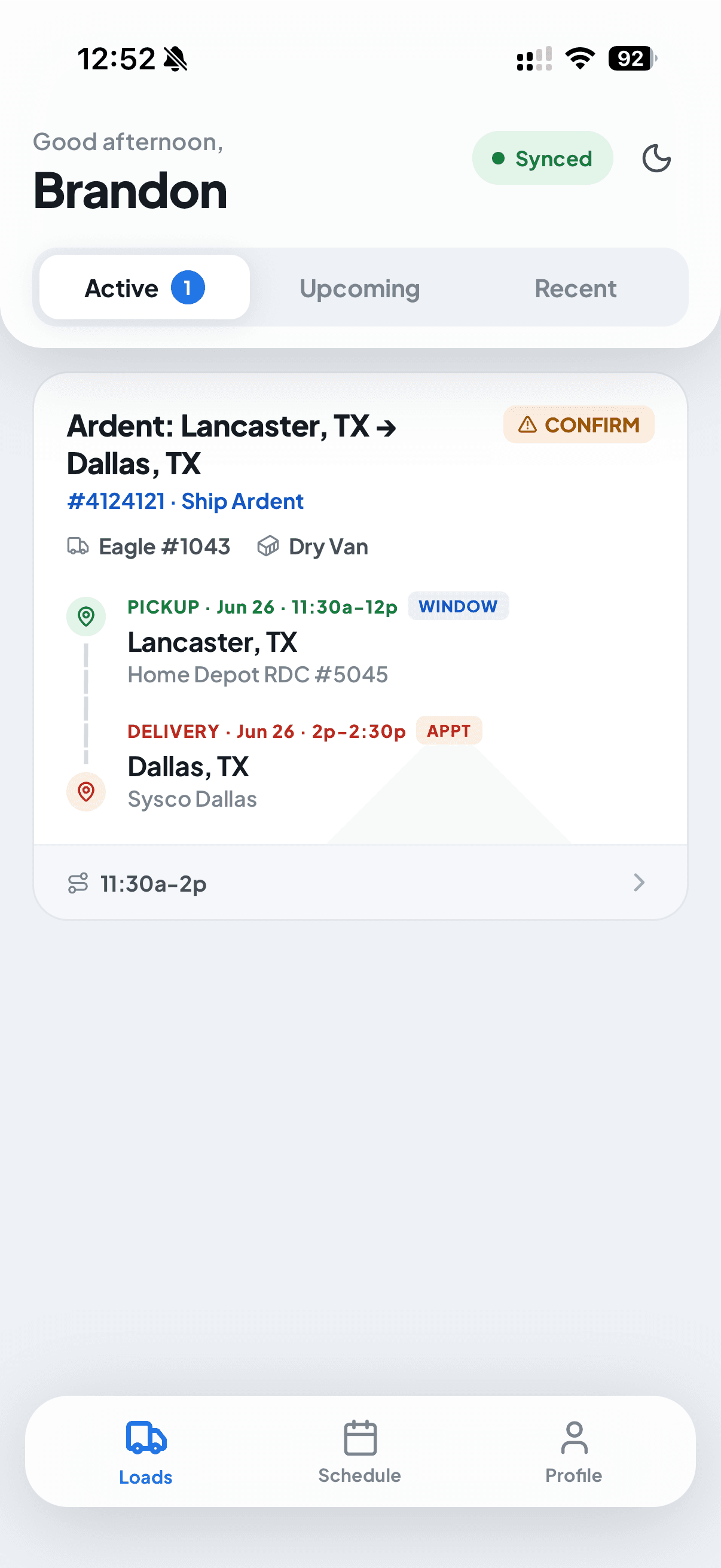
FleetCal driver app, active loads
Load details

Everything drivers need from pickup to delivery.

Tap a load to see its Stops, Details, and Documents, directions to each stop, the instructions and gate codes for every facility, all the reference and load numbers, and exactly which truck and trailer the driver is pulling.

Load detail, stops, route map, status
Directions to every stop
Open the route in Google or Apple Maps.
Stop instructions & gate codes
Extracted with AI from the rate con.
Reference, load & pickup numbers
Easy to copy and paste.
Truck & trailer assignment
Shown right on the load.
Check in on arrival
Location shared with dispatch.
Appointment times & windows
See the appointment or window for each stop.
Paperwork submission

No more chasing down paperwork from drivers.

Dispatch can request paperwork right from the calendar, and the driver gets a push to upload. The built-in scanner auto-crops each page into a clean, multi-page PDF, named for you from the load number, and the moment it uploads, dispatch sees it on the load.

FCFleetCalnow
Remember to upload POD
Ardent: Lancaster, TX → Dallas, TX, Upload POD for each stop.
Scan → PDFAuto-crop · multi-page
Add document, scan to PDF
POD uploadedSynced
POD
4124121_POD.pdf
Jun 26 at 12:53 PM · 436 KB
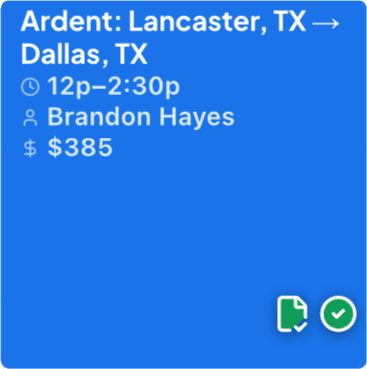
Load on the dispatcher's calendar with a POD icon
A POD icon hits the event in the calendar the moment it’s uploaded.
Driver scheduling

Know the week before it starts.

The Schedule tab lays out every load for the week with its truck assignment and start and end times. Flip between a clean list and an hour-by-hour timeline, and tap any load to open its full detail.

List view
Schedule, list view
Hourly view
Schedule, hourly timeline
Dispatch → driver

Send load notifications without leaving the calendar.

From the Notify driver menu on any load, dispatch can nudge the driver to confirm, check in at a stop, upload paperwork, or report a trailer, and see the moment each one is done. Tap a nudge to watch it land.

Before & after

The old way, and the FleetCal way.

Here is what changes the day a fleet moves onto FleetCal.

The manual way
Getting load details

Driver writes it down and copies it into Google Maps for routing, then calls when they’re missing a reference number.

Uploading docs

Photo to a text thread, hope the dispatcher sees it and files it before it’s buried.

Updating status

Dispatcher texts or calls mid-run for a status update. Driver has to stop and answer, or updates get delayed.

Knowing what’s next

Drivers ask dispatch to confirm their schedule day and night.

With FleetCal
Getting load details

Load details push straight to the driver’s app when assigned, stops, times, reference numbers, all there.

Uploading docs

Driver taps Upload in the app. The POD goes straight to the load, visible to dispatch and ready to bill.

Updating status

One tap, picked up, en route, delivered. Dispatch sees the update in real time without calling.

Knowing what’s next

Upcoming loads are in the app. The driver sees what’s assigned and when, no call needed.

Get started

Dispatching just got easier.

14 days free. No sales call. The driver app comes free with every FleetCal seat, iOS and Android.

Start free trialBook a demoBack to home