See every truck.
Fill every gap.
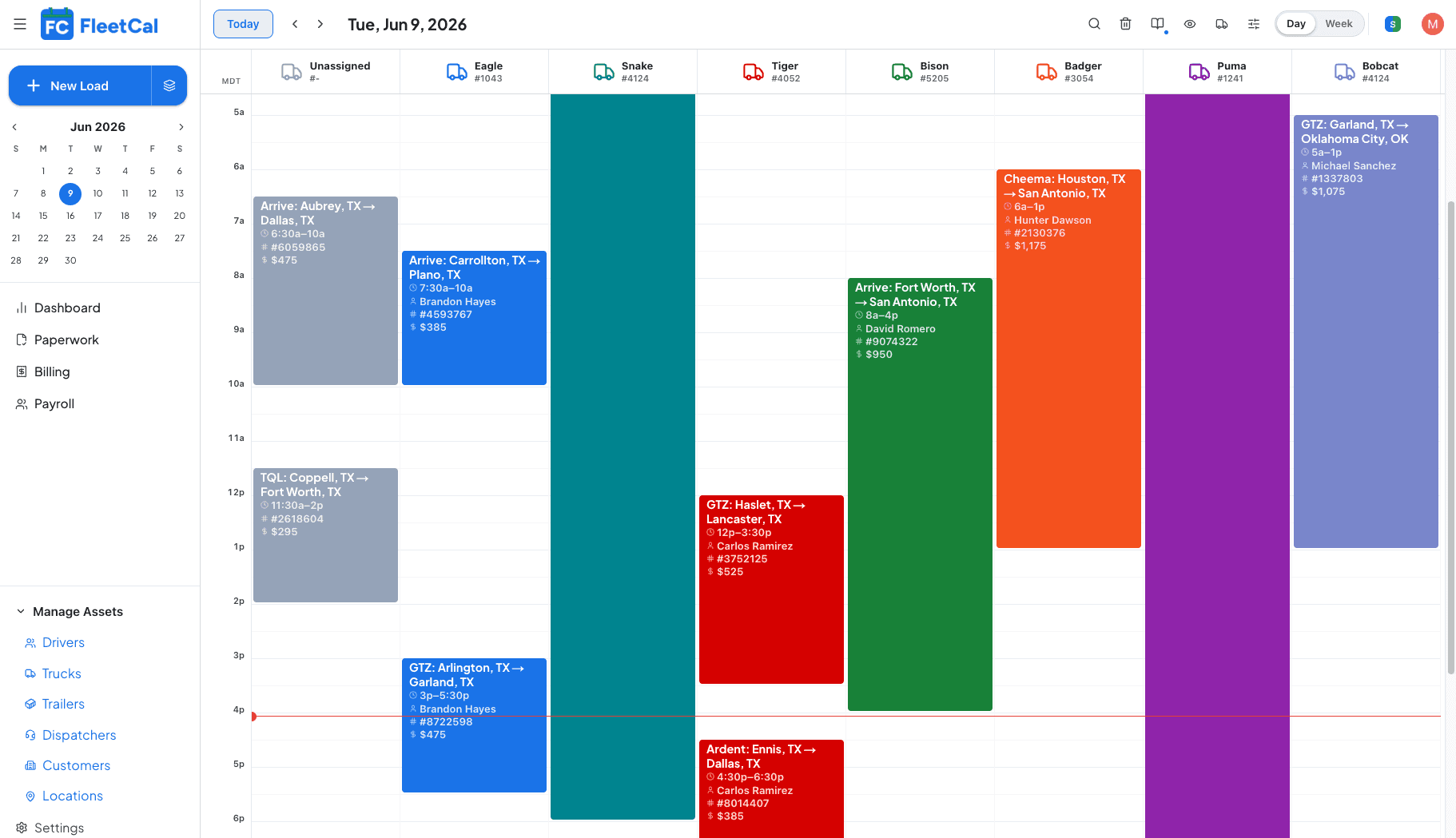
Visualize your capacity in real time with one column per truck on a live calendar. A solid bar means it’s rolling; white space means it’s sitting and ready for the next load. Drop a rate con, drag it onto a truck, and dispatch the driver without leaving the calendar.
Dispatch a load in the time it takes to read the rate con.
Drop up to 10 rate cons into the calendar at once and AI pulls the customer, rate, reference numbers, stops, and appointment windows, right inside each load. Schedule dedicated loads with Duplicate to copy event details, or click +1 Week to push it ahead.
Assign in a drag. Dispatch and track in real time.
Drag a load onto a truck to assign the driver and equipment in one motion. The driver gets an automatic notification in the FleetCal app to confirm, and you can fire off manual dispatch notifications from the calendar any time. Once they’re rolling, the live ELD location shows exactly where each truck is and when it’ll arrive.
The entire load, without leaving the calendar.
Click on a load event in the calendar to view the route map with geocoded locations, the rate confirmation, and all load documents in just one click. Flip between them and calculate ETAs without having to leave the calendar.

All of the features you need to keep trucks busy.
Click a feature to see how it works.
The old way, and the FleetCal way.
Here is what changes the day a fleet moves onto FleetCal.
Every step, one system.
Run your whole fleet on one calendar.
14 days free. No sales call. Dispatch, paperwork, payroll, and billing, all from the board.